

infrADAC v1.5 update
Window Dressing.
v1.5 refreshes the infrADAC interface and adds a new Home window, CSV recognition codes, a refreshed PDF audit report and an updated software and profile update workflow.

01
UI refresh
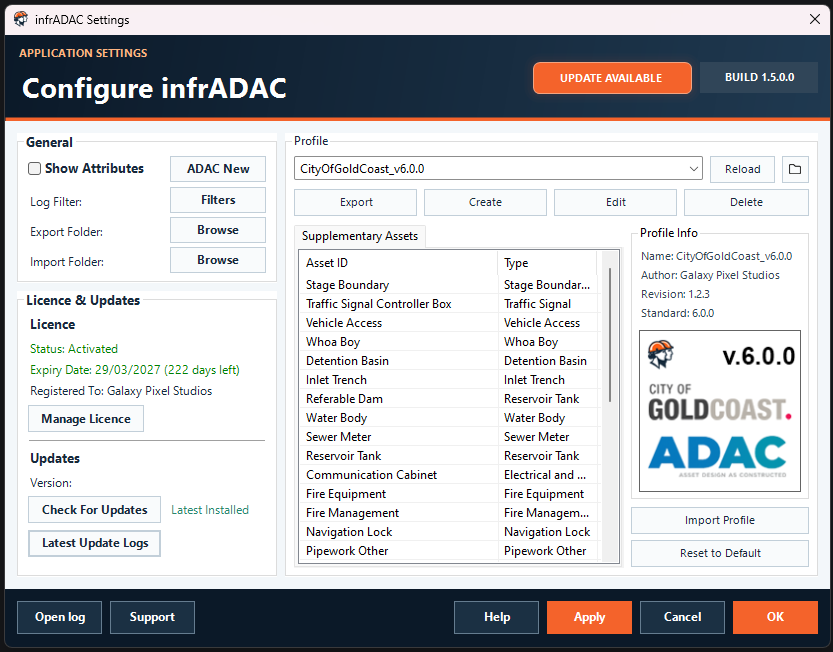
The main infrADAC windows have been refreshed with a more consistent layout, controls and status information across project, profile, asset, audit, import, update and support tools.
02
Home
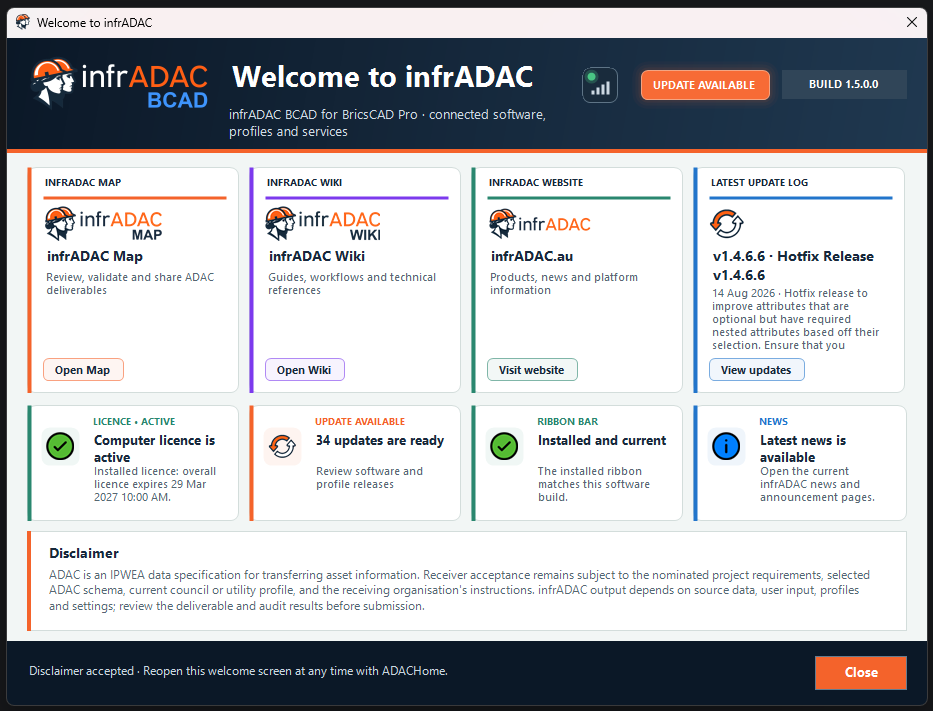
The new Home window is shown when infrADAC starts. It displays licence, software, receiver profile and Ribbon Bar status, along with service status, news, release notes and links to infrADAC Map, the Wiki, the website and update actions.
03
CSV recognition codes
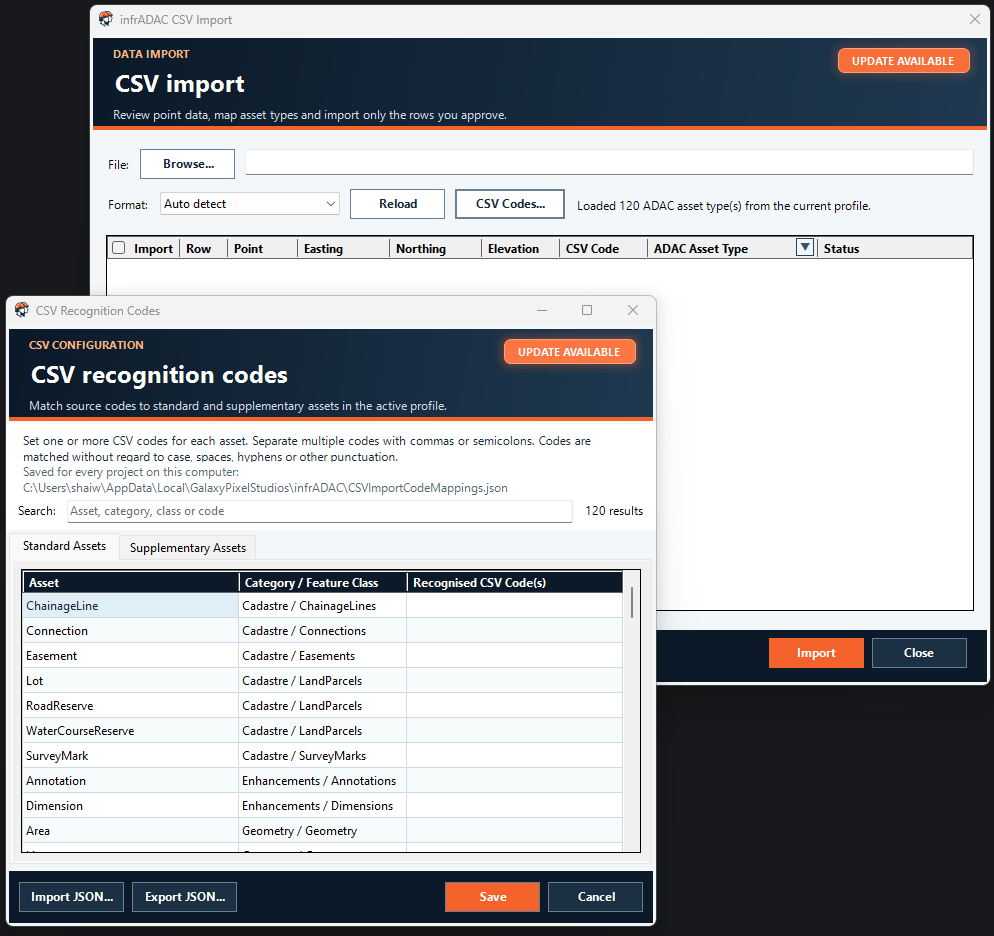
Recognition codes can now be assigned to standard and supplementary assets. During CSV import, infrADAC can use the incoming code to suggest the asset type. Mappings can be searched, edited, imported and exported, and asset assignments can be checked or changed before import.
04
PDF audit report
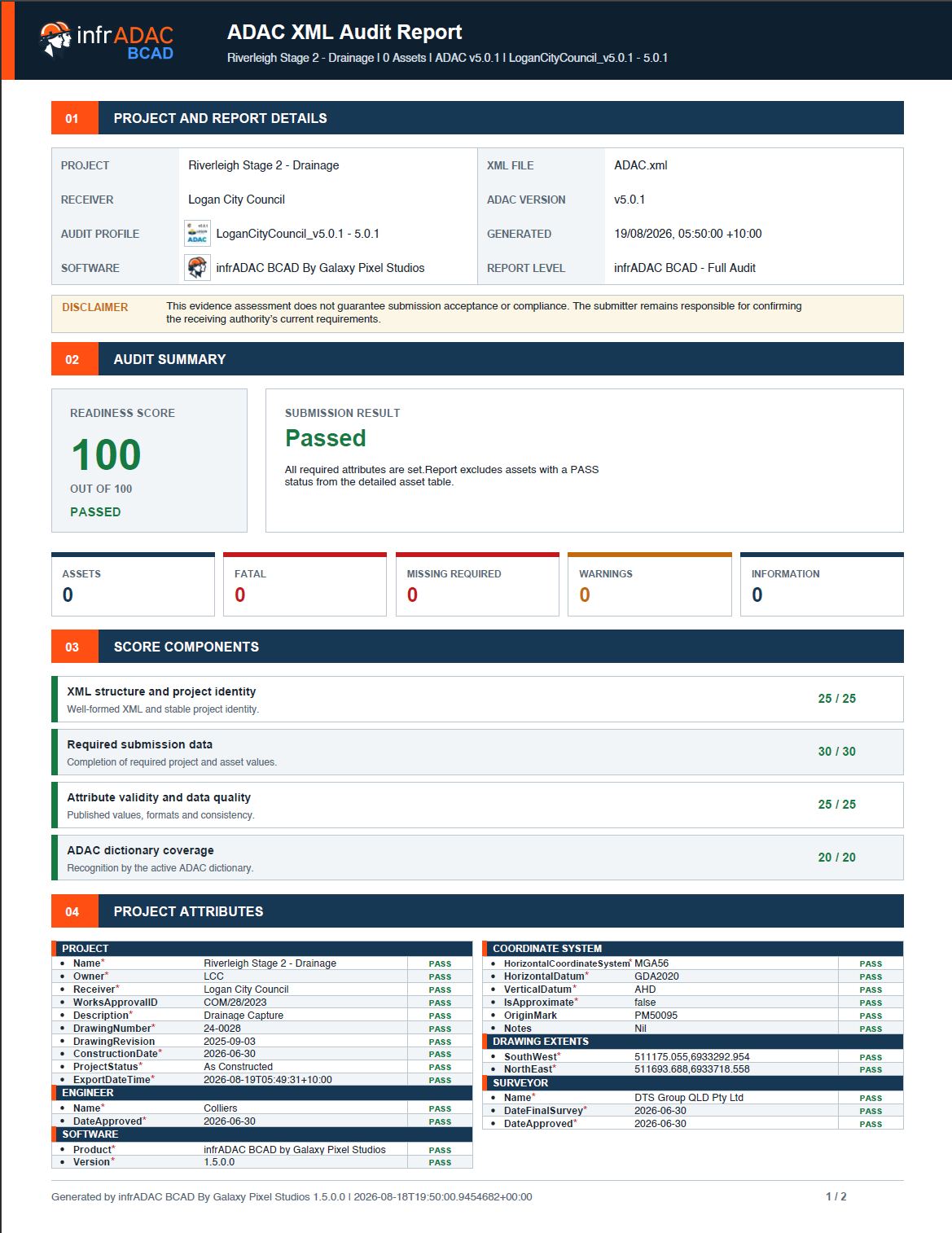
Audit reports are now generated as PDF instead of DOCX. The report layout has also been refreshed, with project details, audit results, key metrics and project attributes presented more clearly. A detailed asset register and failed-only reporting remain available when required.
05
Updates
Software and entitled receiver profile updates are now shown in one window. Downloads are verified before installation, profile updates can be merged or replaced and software updates are installed after the CAD application closes.
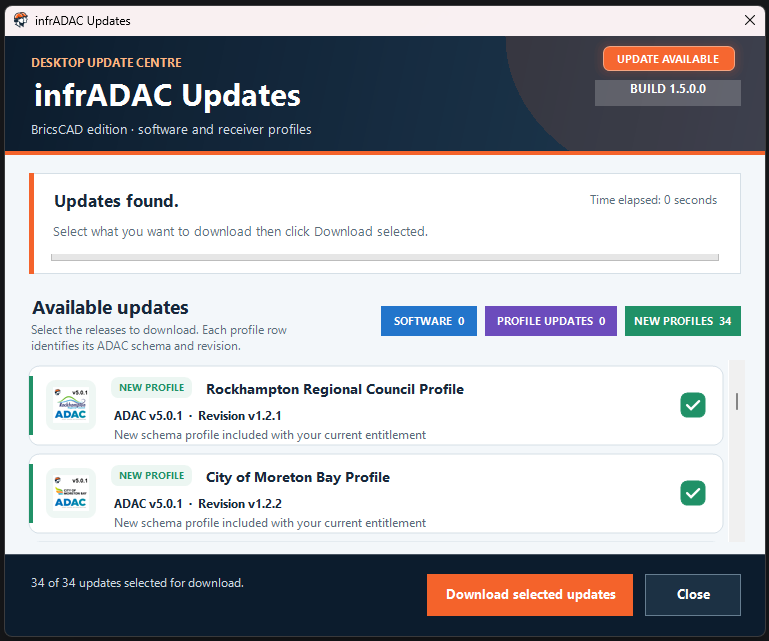
New profiles
New profiles are now available for Gympie Regional Council, Redland City Council and Port of Brisbane.
 Gympie Regional Council
 Redland City Council
 Port of Brisbane
SEQ Collection: existing SEQ Collection holders now have access to the Gympie Regional Council and Redland City Council profiles at no extra cost.
v1.5.1
Next update
Images and video tutorials
Additional images and video tutorials will be added to the support documentation.
Refreshed point asset blocks
Point asset blocks will be refreshed with a more consistent visual set.
Map Pro access
Map Pro is included with your infrADAC subscription. Login details will be sent by email.


Documentation
Documentation and support for infrADAC.
Open infrADAC Wiki